

Knip for Editors & Agents

Three years in, Knip has found its place in over 10.000 projects and is downloaded over 18M times/month. A long period of steady growth in usage and stability allows Knip to become more accessible to more people. That’s why I’m excited and proud to introduce the brand new Editor Extension and MCP Server. For humans and coding agents alike, Knip will help keep your codebases tidy.
Don’t forget… Knip it before you ship it!
Editor Extension
Section titled “Editor Extension”This one is for you.
The usual suspects like red squiggles for unused exports are there. What really moves the needle for DX with Knip’s module graph is navigation. A completely unique way to view & fly through codebases. Connect the dots during development and refactors, while keeping things in check. We’re starting out with 3 key features:
- Hover over Export for import & usage locations
- Imports Tree View for direct links to implementations
- Exports Tree View for direct links to import & usage locations
The extension has a built-in MCP Server with a command and resources to configure Knip for you, completely automated.
Find Knip on the VS Code Marketplace and find Knip in the Open VSX Registry.
MCP Server
Section titled “MCP Server”Configuring Knip has always been a major headache to many. No more. Tell your
coding agent to “configure knip” and it will RTFM so you don’t have to. Using a
newer model like Opus 4.5 or GPT 5.2 results in an optimized knip.json file
and an uncluttered codebase.
The MCP Server is available separately and built into the VS Code Extension.
Language Server
Section titled “Language Server”The VS Code Extension and the MCP Server are powered by the new Language Server. It’s a custom server that builds the full module graph of your project, and provides a session with a graph explorer to request all sorts of interesting information. Queries like “where is an export imported” or “is this import part of a circular dependency” are just scratching the surface here.
Extensions for other IDEs can be built on top. See language-server/README.md
Screenshots
Section titled “Screenshots”Lint Findings
Section titled “Lint Findings”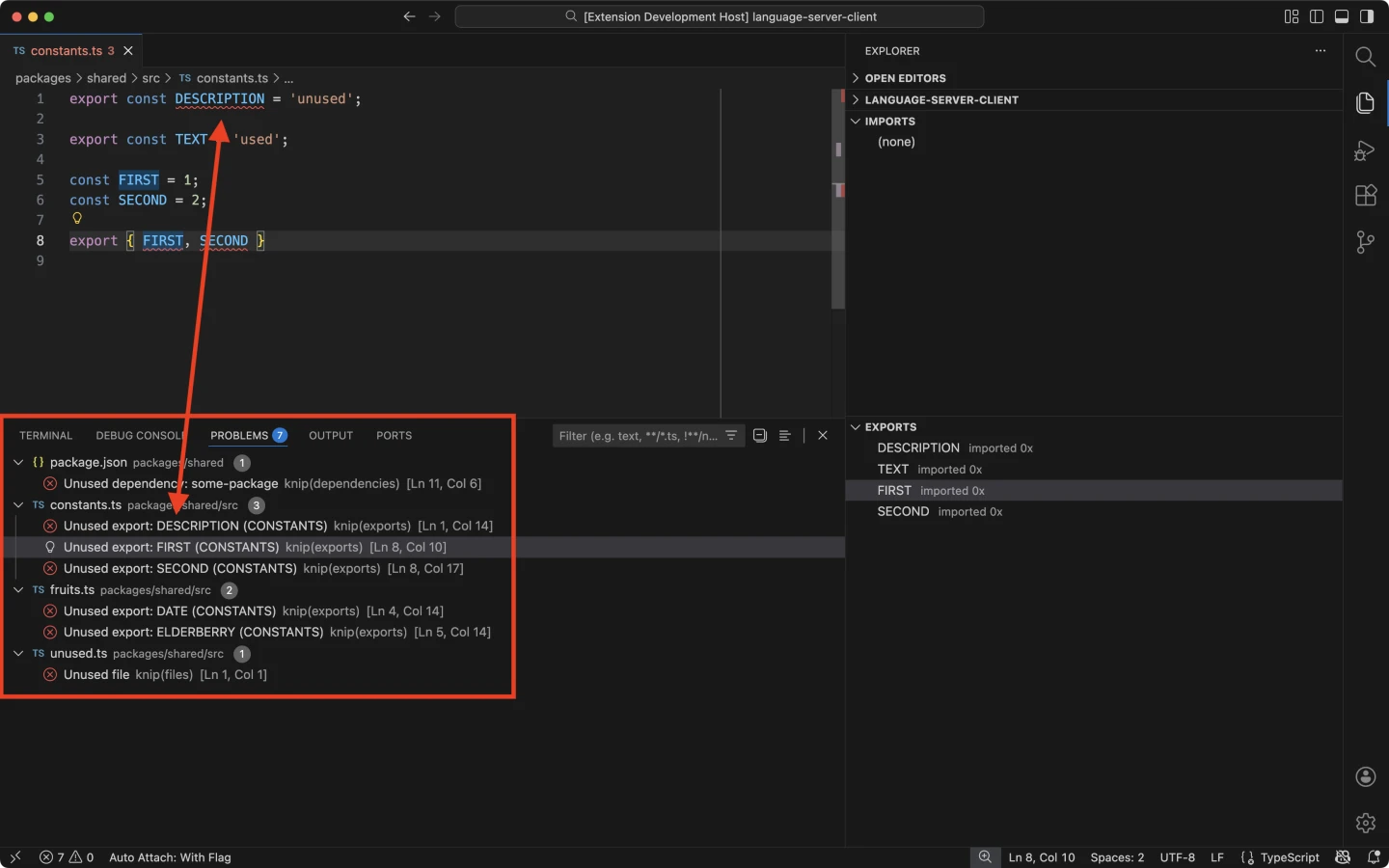
Imports & Exports
Section titled “Imports & Exports”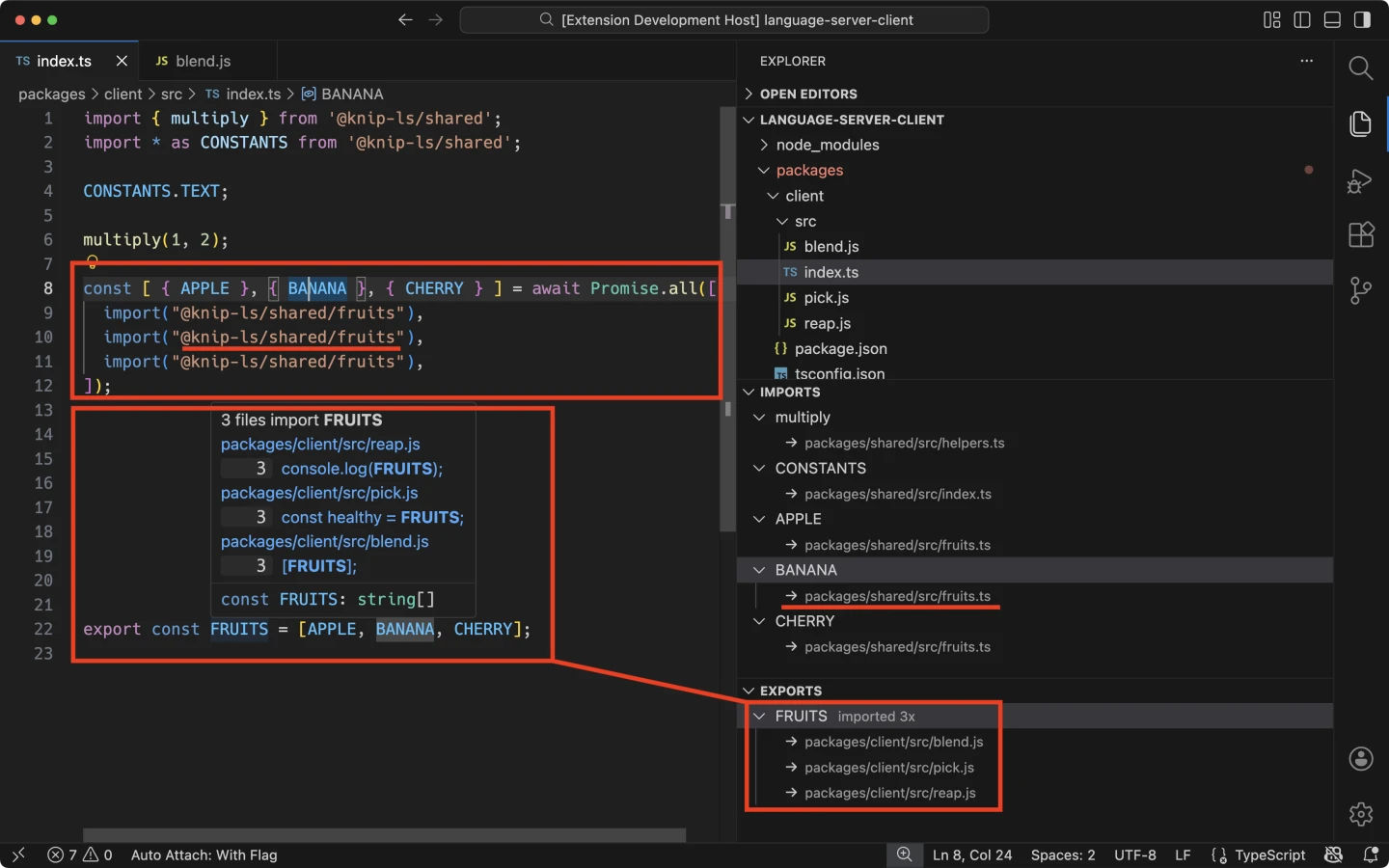
Contention
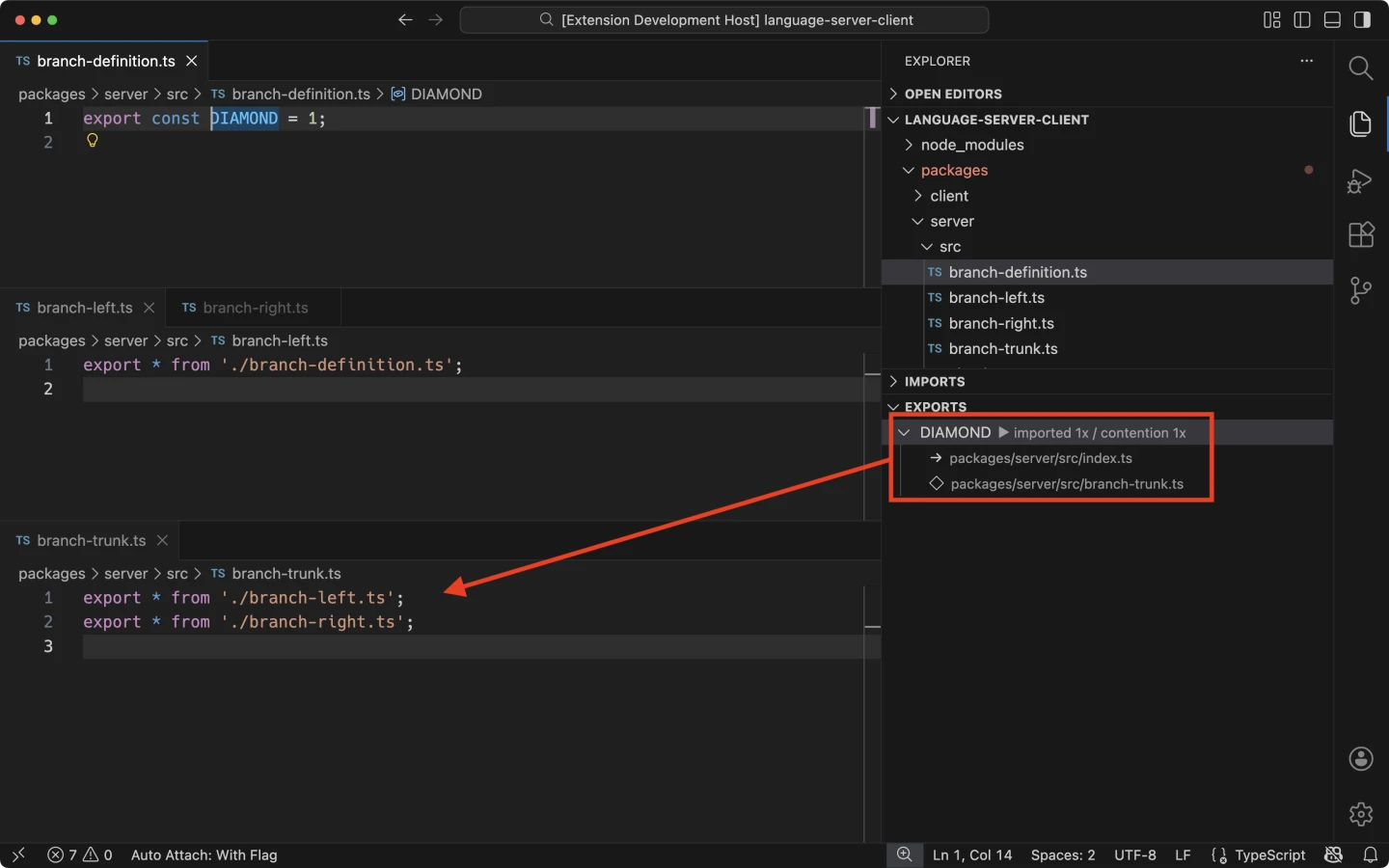
Section titled “Contention”The IDE extension shows extra issues in the tree views like circular dependencies. We’re starting out with some extra novelties like conflicting and branched/diamond-shaped import chains.
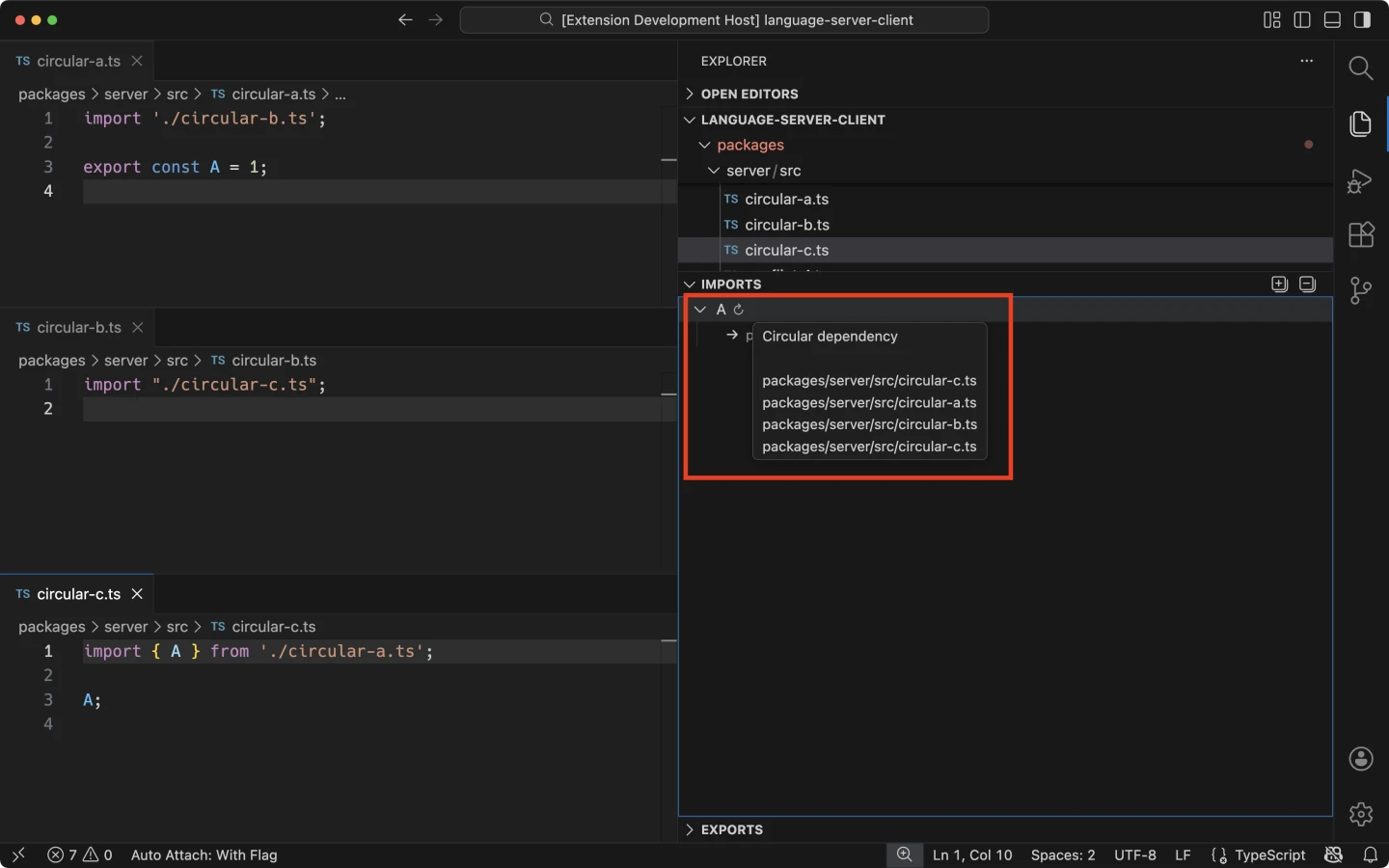
Circular Dependencies
Section titled “Circular Dependencies”If an import is part of a circular dependency, Knip will display:
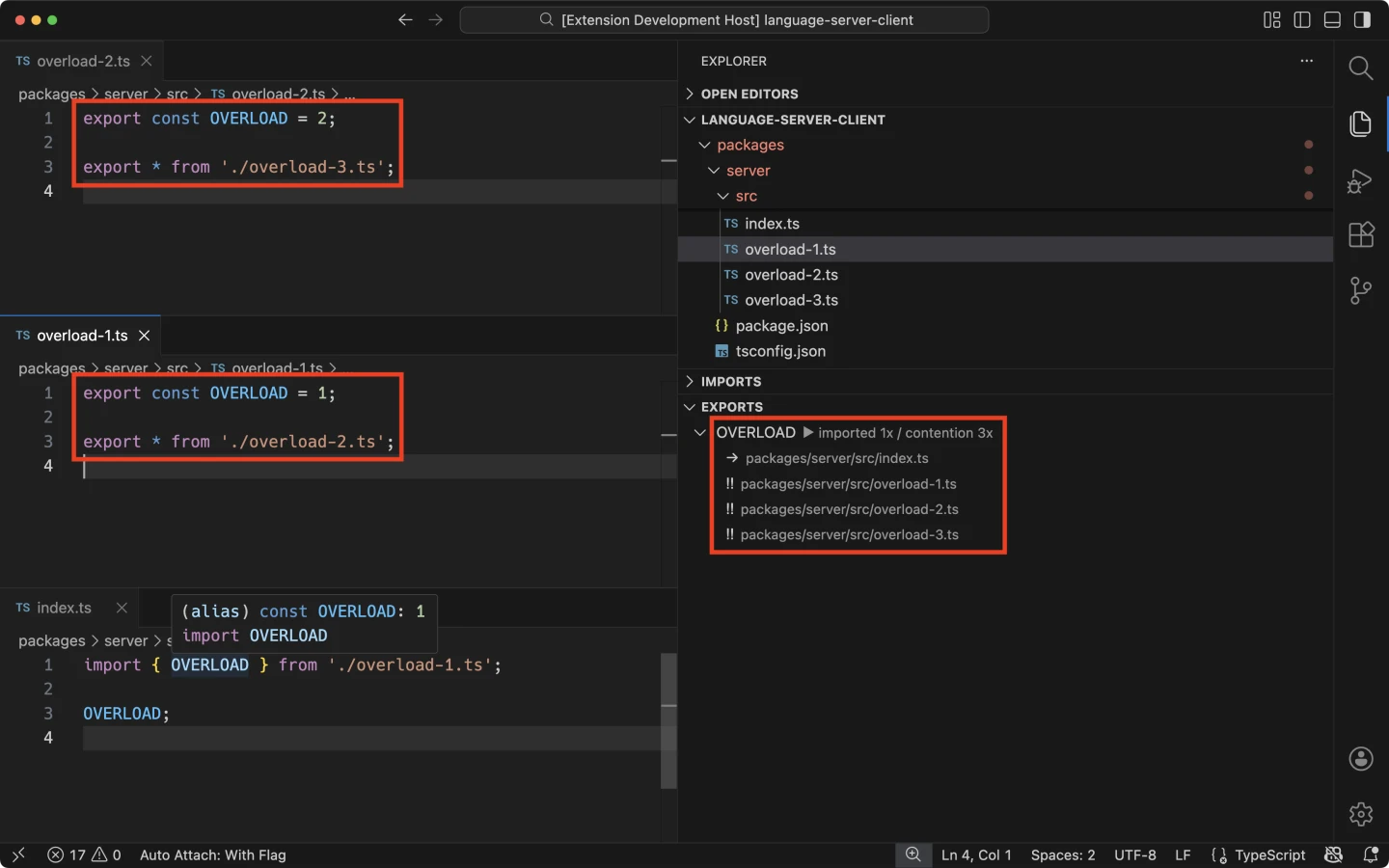
Conflicts
Section titled “Conflicts”TypeScript shows direct conflicts when importing or re-exporting the same named export from different files. Except when the problem is more subtle and the chain spans more than one file. Knip warns:
Branching
Section titled “Branching”Branched or diamond-shaped imports chains indicate unnecessary re-exports and complexity. They help to untangle large codebases and shrink or get rid of barrel files. Knip warns:
VS Code Extension Settings
Section titled “VS Code Extension Settings”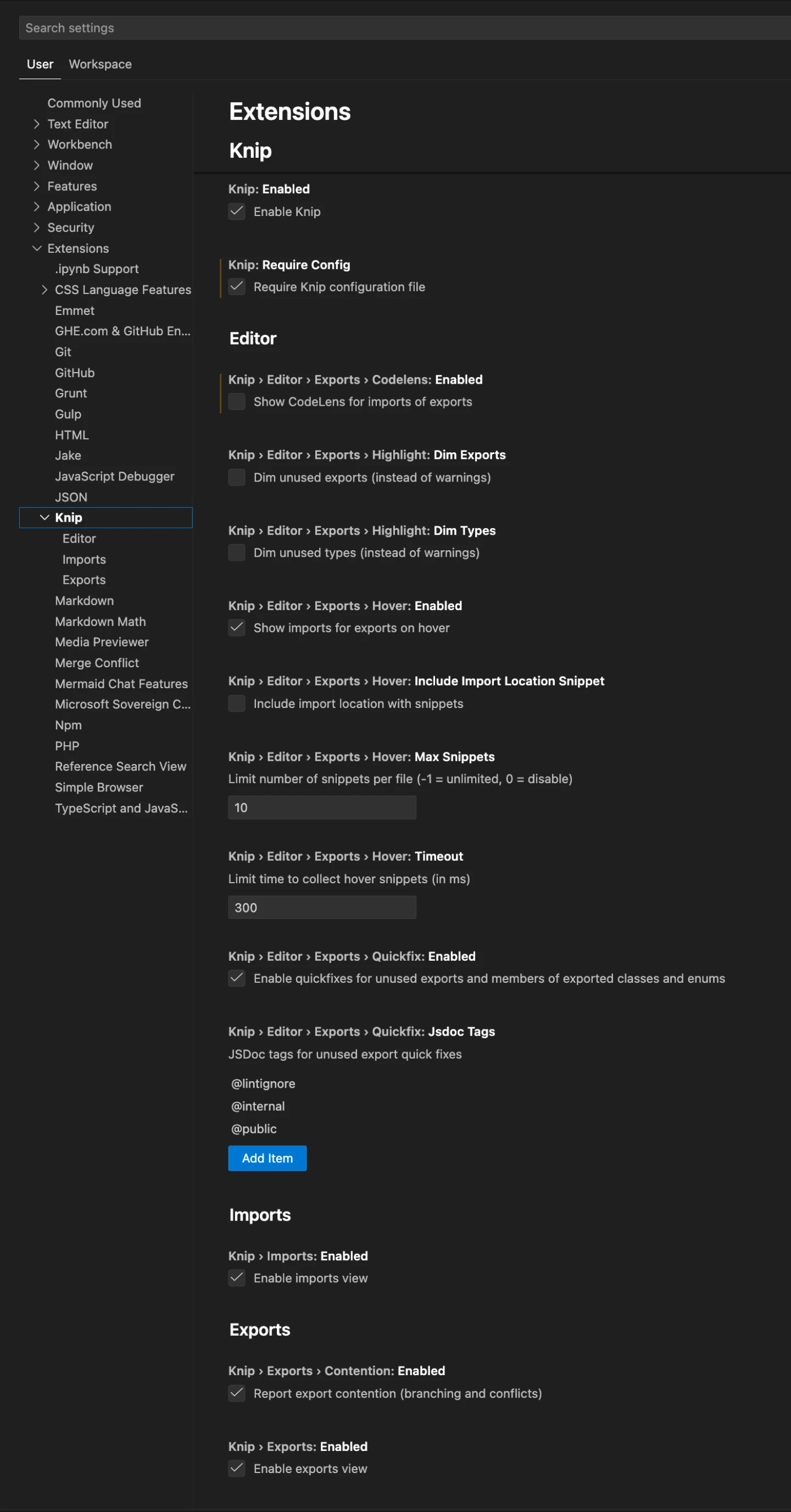
ISC License © 2026Lars Kappert
