

Integrations
VS Code Extension
Section titled “VS Code Extension”The official VS Code extension provides a rich integration with the Knip Language Server:
- Diagnostics: Inline warnings for unused dependencies, exports and files
- Hover Information: Hover over exports to see import and usage locations
- Imports Tree View: Direct links to implementations
- Exports Tree View: Direct links to import and usage locations
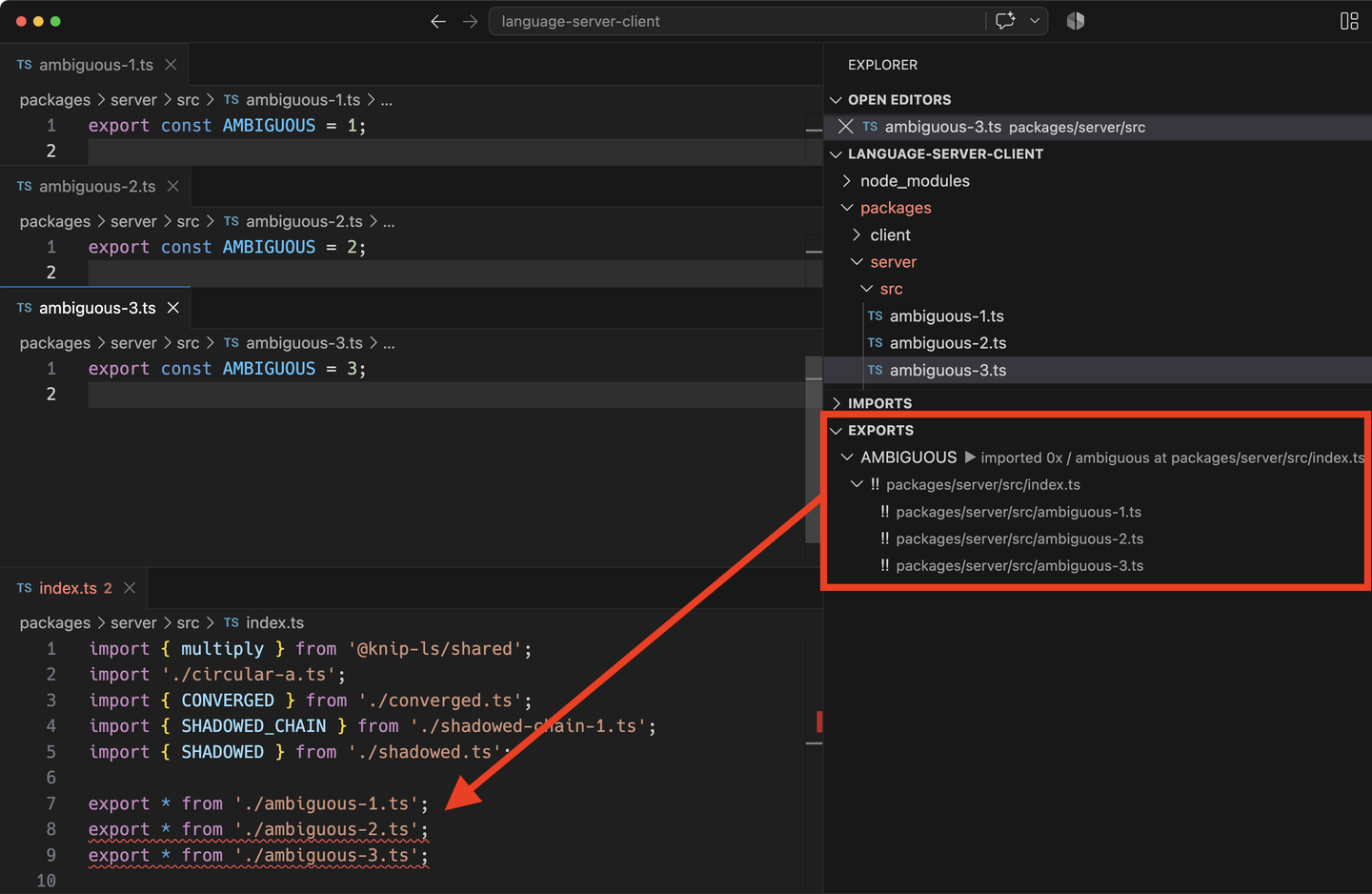
- Contention Detection: Warnings for circular dependencies, ambiguous, shadowed and diamond-shaped import chains
- Built-in MCP Server: Automated configuration support for coding agents
Find Knip on the VS Code Marketplace and find Knip in the Open VSX Registry.
See below for screenshots.
JetBrains Plugin
Section titled “JetBrains Plugin”A community plugin is available for JetBrains IDEs including WebStorm, IntelliJ IDEA, and others. The plugin is powered by the Knip Language Server and provides diagnostics. Find Knip on the JetBrains Marketplace.
MCP Server
Section titled “MCP Server”The standalone MCP Server enables coding agents to configure Knip automatically.
Tell your agent to “configure knip” and it will use the available tools to
create, analyze and optimize your knip.json configuration.
The Knip MCP Server is available separately and built into the Knip VS Code Extension.
Start:
npx @knip/mcpNote: The VS Code extension has this MCP Server built-in.
Language Server
Section titled “Language Server”The IDE integrations are powered by the Knip Language Server. It builds the full module graph of your project and provides a session with a graph explorer. See the Knip Language Server documentation for more details and information on integrating Knip.
VS Code Extension Screenshots
Section titled “VS Code Extension Screenshots”Lint Findings
Section titled “Lint Findings”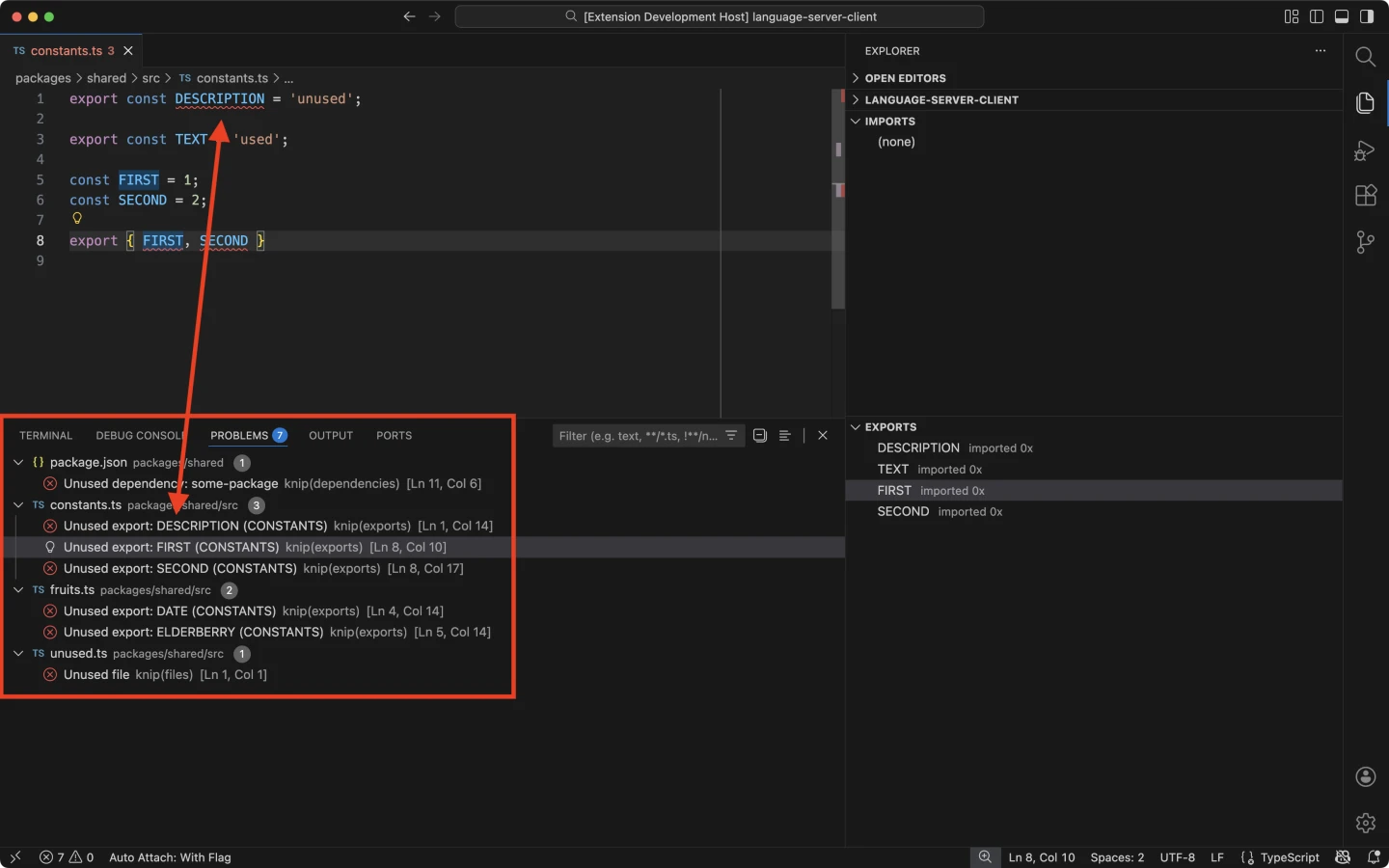
Imports & Exports
Section titled “Imports & Exports”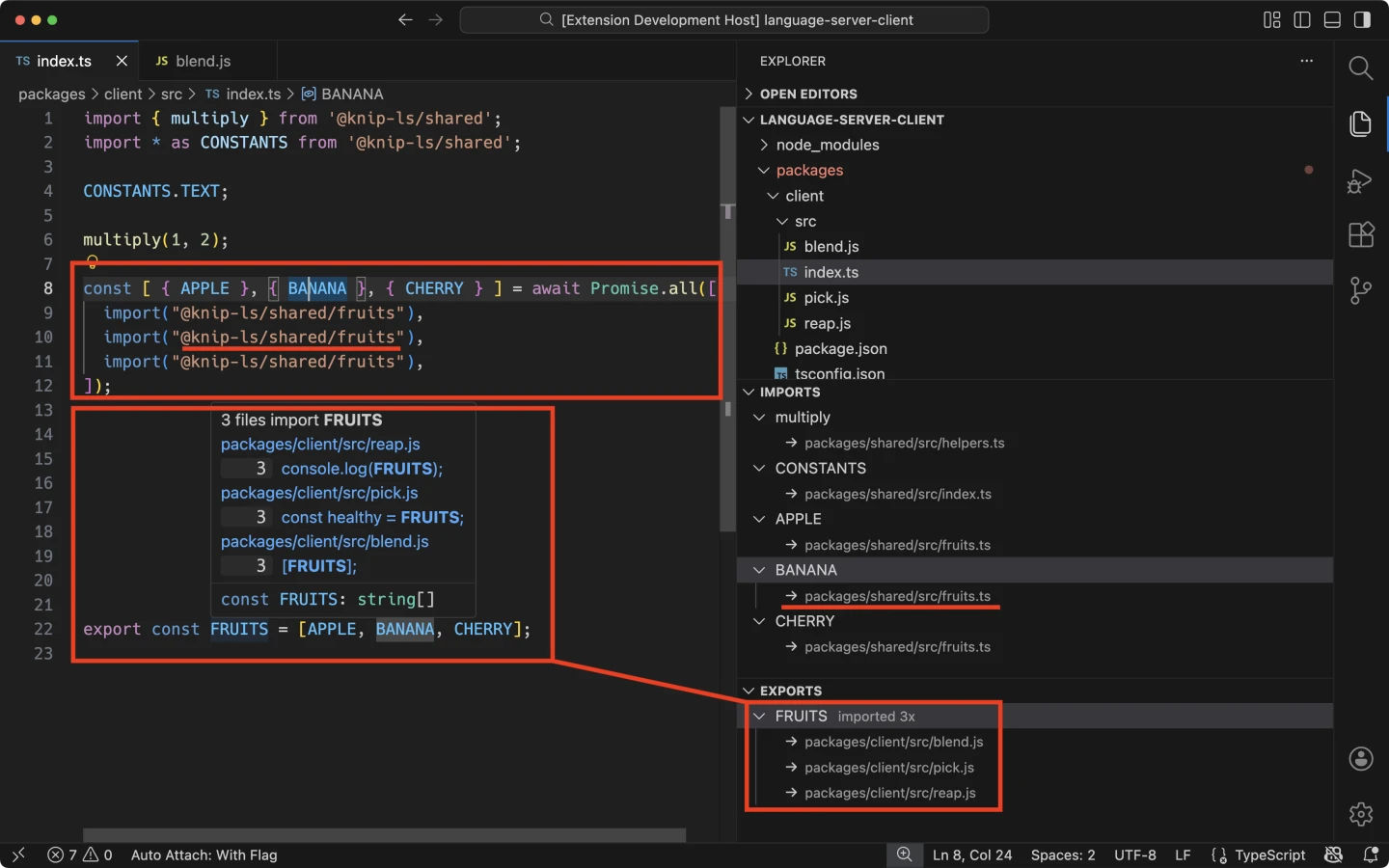
Contention
Section titled “Contention”The extension shows circular dependencies and three kinds of export contention: ambiguous, shadowed, and converged.
Circular Dependencies
Section titled “Circular Dependencies”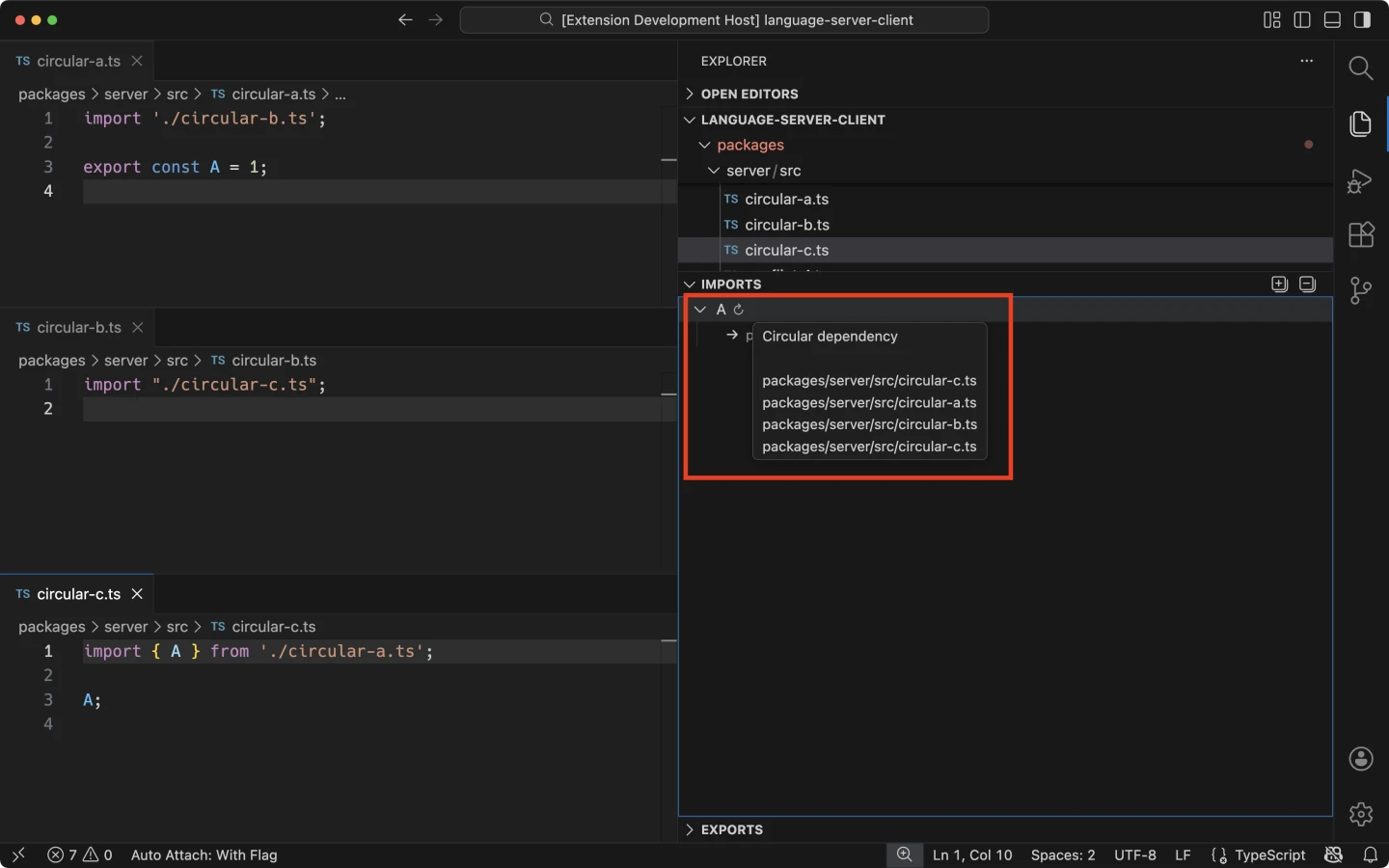
Ambiguous
Section titled “Ambiguous”Different bindings compete for the same name, with no winner. Knip lists the competing bindings:
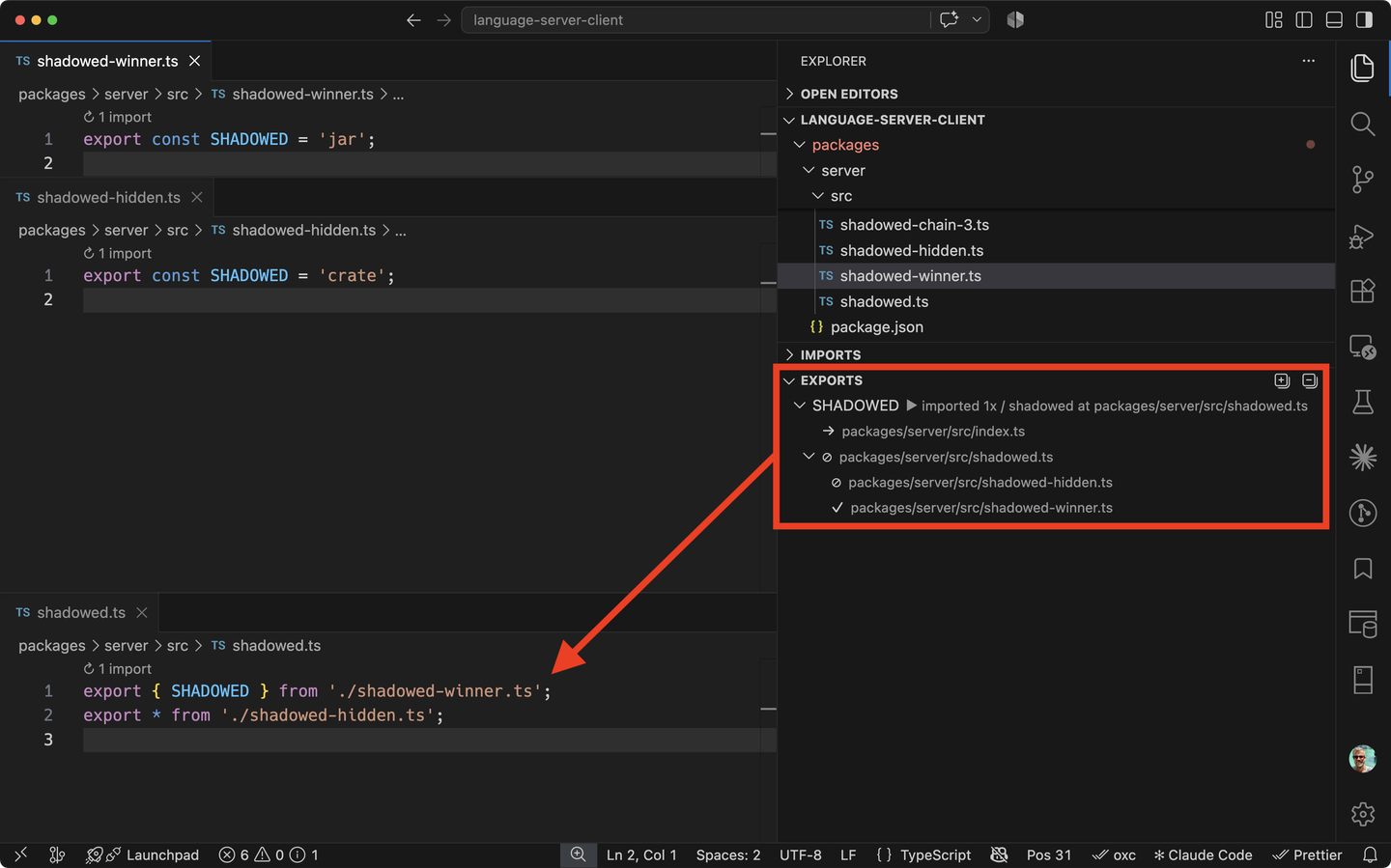
Shadowed
Section titled “Shadowed”An explicit export hides bindings from export *. Knip labels the site as
“shadowing” and lists the winning and hidden bindings:
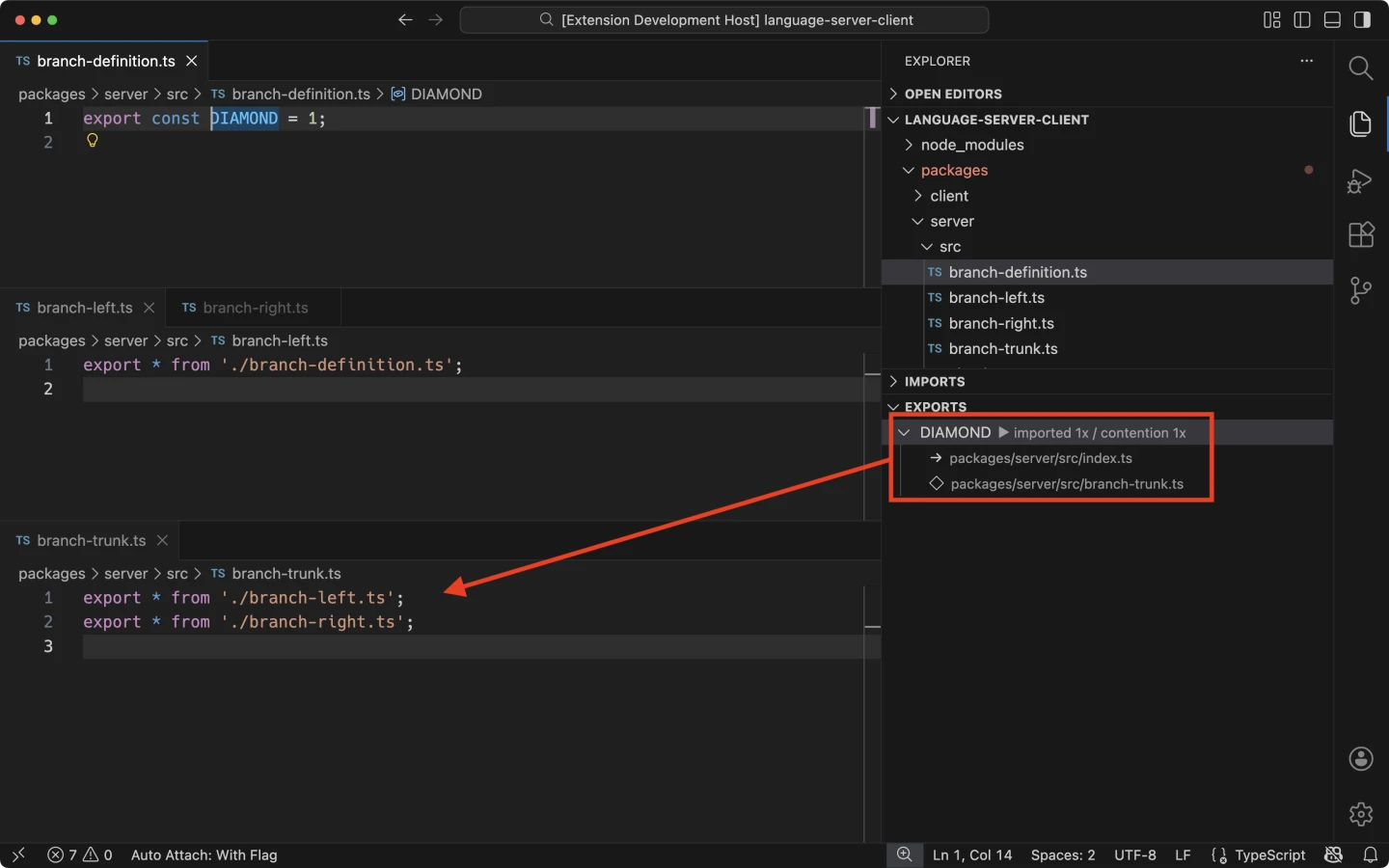
Converged
Section titled “Converged”The same binding arrives through multiple re-export paths. Knip shows where those paths meet and the binding they share.
Settings
Section titled “Settings”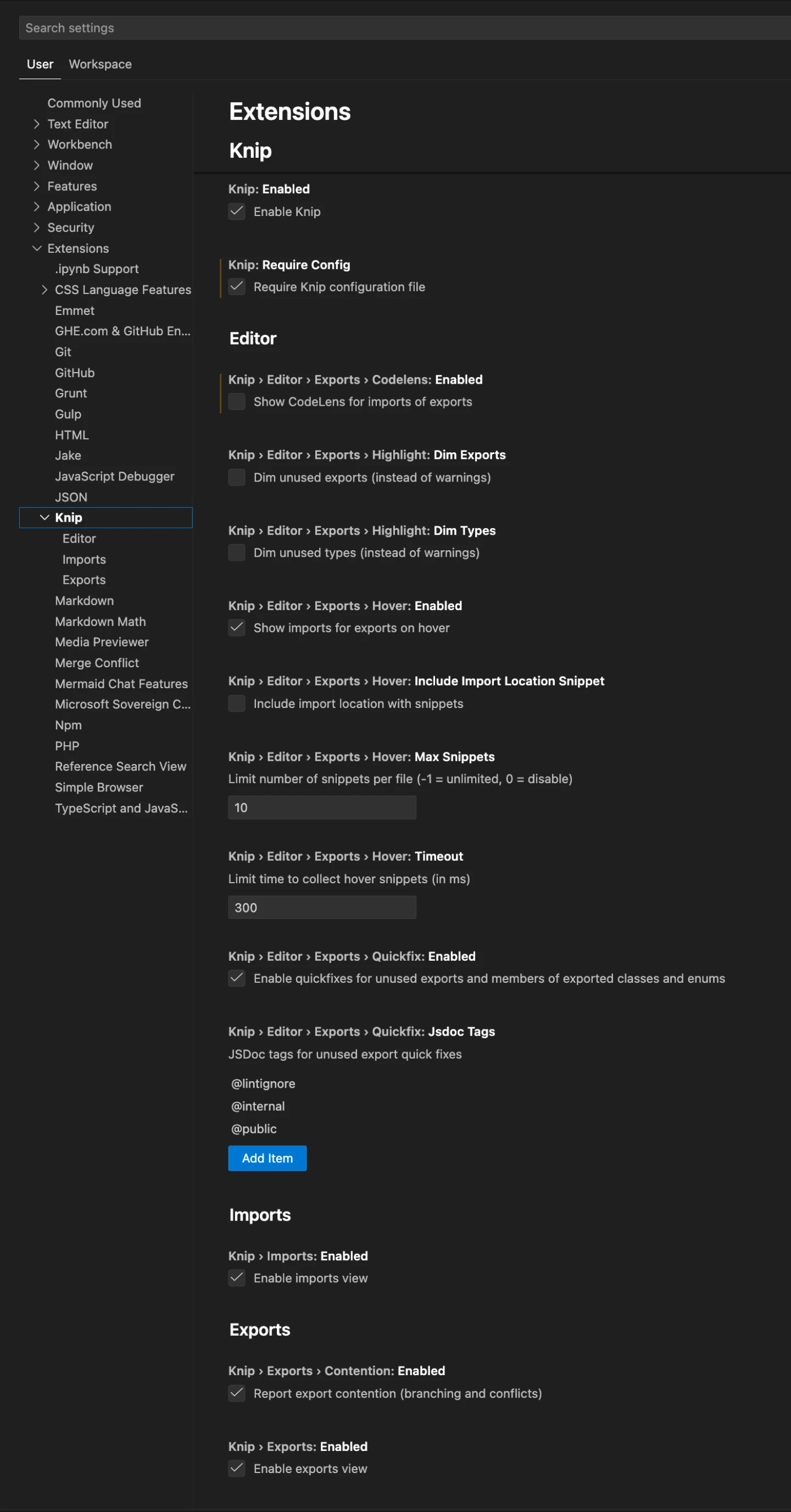
ISC License © 2026Lars Kappert
